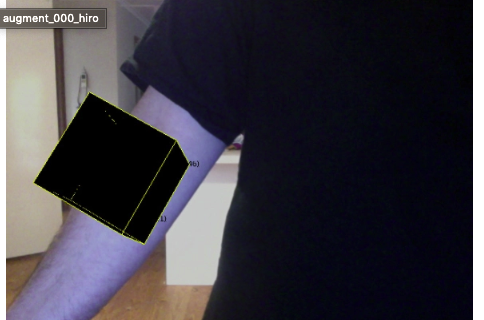
Drawing triangle and quad strips

Making my way through the Drawing triangle and quad strips recipe from the Processing 2 Creative programming cookbook source code on GitHub. In this recipe I learned how to use the QUAD_STRIP and TRIANGLE_STRIP parameters inside the beginShape function to draw triangle or quad 3D geometry to screen. With some work, QUAD_STRIP and TRIANGLE_STRIP could be used to …
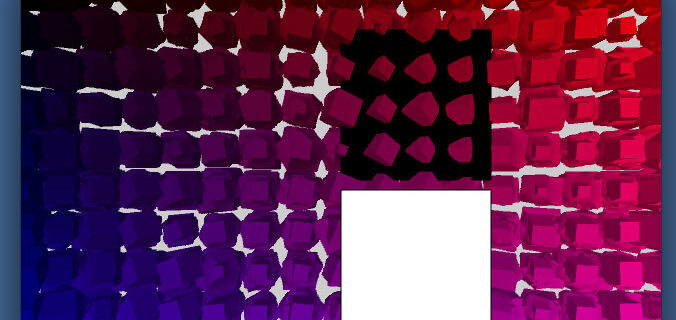
Mixing 2D and 3D objects

Making my way through the Mixing 2D and 3D objects recipe from the Processing 2 Creative programming cookbook source code on GitHub. In this recipe I learned how to use the ENABLE_DEPTH_TEST and the DISABLE_DEPTH_TEST parameter inside the hint function at the beginning and end of the draw function to to enable and disable the z buffer. This …

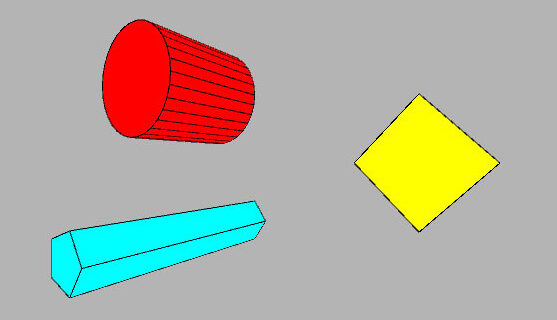
Making polygon soup

Making my way through the Making polygon soup recipe from the Processing 2 Creative programming cookbook source code on GitHub. In this recipe I learned how to create a 3D cylinder with a flexible function that allows for the top, bottom and sides of the cylinder to be customised. In this recipe, the QUAD_STRIP parameter (draws a series …

Using lights

Making my way through the Using lights recipe from the Processing 2 Creative programming cookbook source code on GitHub. In this recipe, I learned how to declare the lightMode and lightDirection integers to allow for different lighting modes to be activated. Inside the setUp function they’re assigned a value of 0 and then referenced again in the if test. …

Offscreen drawing

Making my way through the Offscreen drawing recipe from the Processing 2 Creative programming cookbook source code on GitHub. In this recipe I learned how to: declare a PGraphics object and then initialise it with the createGraphics function inside the setup function. use the createGraphics function to create a new transparent image to be drawn on and …

Manipulating SVG files

Making my way through the Manipulating SVG files recipe from the Processing 2 Creative programming cookbook source code on GitHub. In this recipe I learned: more about using the shape function to draw shapes in the display window how to declare the PShape object and create custom variables (snowFlake, small1 to small6 and big1) and the disableStyle, …

Drawing custom shapes

Making my way through the Drawing custom shapes recipe from the Processing 2 Creative programming cookbook source code on GitHub. In this recipe I learned about some of Processing’s funky functions that can be used to draw custom shapes such as a star and a flower. I also learned about the vertex, beginShape and endShape functions.

Calculating points on a curve

Making my way through the Calculating points on a curve recipe from the Processing 2 Creative programming cookbook source code on GitHub. In this recipe I learned how to use the bezierPoint and curvePoint functions to calculate points on curves and splines. bezierPoint uses five parameters. The first four are coordinates for the anchor and control points …

Drawing curves

Making my way through the Drawing curves recipe from the Processing 2 Creative programming cookbook source code on GitHub. In this recipe I learned how to use the bezier and curve functions to draw Bezier curves and Catmull-rom splines in the display window. For the Bezier curves in this example, 0 and 20 are the coordinates for the first anchor …

Drawing text

Making my way through the Drawing text recipe from the Processing 2 Creative programming cookbook source code on GitHub. In this recipe I learned how to declare PFont objects for the fonts to be used in the Sketch and set the second parameter of the textFont function to determine the size of the text. For example, textFont …

Drawing basic shapes

Making my way through the Drawing basic shapes recipe from the Processing 2 Creative programming cookbook source code on GitHub. In this recipe I learned how to use the rect, ellipse, quad and triangle functions to draw basic geometric shapes. I also found it interesting how two for loops are used to create the grid background pattern. I’m curious …

Keyboard interaction

Making my way through the Keyboard interaction recipe from the Processing 2 Creative programming cookbook source code on GitHub. In this recipe I learned about using keyPressed, keyReleased and keyTyped functions to assign keys on the keyboard to execute code and also a bit more about if tests and declaring variables, particularly changing their values when specified keys are …

Mouse interaction

Making my way through the Mouse interaction recipe from the Processing 2 Creative programming cookbook source code on GitHub. In this recipe I learned about the mouseClicked, mouseDragged, mouseMoved, mousePressed and mouseReleased functions. I also learned about the mouseX, mouseY, pmouseX, pmouseY, mousePressed and mouseButton variable. The mouseButton variable allows you to determine if the left, right …

Maths functions

Making my way through the Maths functions recipe from the Processing 2 Creative programming cookbook source code on GitHub. In this recipe I learned about declaring variables and the abs, ceil, floor, round, sq, sqrt, min, max, and dist functions. I also learned how to use the println function to display output of functions to the Processing console window. …

Using a for loop to draw lines

I wanted to draw a grid. Previously, I specified each horizontal and vertical line in my sketch. Totally boring, inefficient and completely inflexible way to draw repetitive lines. So, I checked out the Processing reference on for loops and then applied that methodology to my existing sketch. Tight! This could be the method to use to …

Drawing lines

This probably isn’t the most efficient way to draw lines to form a grid pattern, but this method is helping me to understand the coordinate system. The most efficient way would probably be to use a for loop. They’re next.

My first sketch

Making my way through the My first sketch recipe from the Processing 2 Creative programming cookbook source code on GitHub. In this recipe I learned about the size (displayWidth and displayHeight have now replaced screenWidth and ScreenHeight), setup, draw, point, line and strokeWeight functions.

Kinect

I bought a Kinect sensor to use with Processing. Next, start working my way through Daniel Shiffman’s Getting Started with Kinect and Processing blog post. Fun!

Prototyping AR with processing and blender

I’m interested in exploring the use of augmented reality (AR) in learning experiences.  I’ve decided to prototype my early simple AR experiments with Processing and Blender. These early explorations will make use of augments placed with fiducial markers. My goal is to then explore developing AR learning experiences with Layar that can then be viewed …