Warning: Undefined variable $skin in /home/rowanpet/public_html/wp-content/plugins/media-element-html5-video-and-audio-player/mediaelement-js-wp.php on line 405
Warning: Undefined variable $src_attribute in /home/rowanpet/public_html/wp-content/plugins/media-element-html5-video-and-audio-player/mediaelement-js-wp.php on line 410
Warning: Undefined variable $type_attribute in /home/rowanpet/public_html/wp-content/plugins/media-element-html5-video-and-audio-player/mediaelement-js-wp.php on line 410
Warning: Undefined variable $poster_attribute in /home/rowanpet/public_html/wp-content/plugins/media-element-html5-video-and-audio-player/mediaelement-js-wp.php on line 410
Warning: Undefined variable $mp3_source in /home/rowanpet/public_html/wp-content/plugins/media-element-html5-video-and-audio-player/mediaelement-js-wp.php on line 412
Warning: Undefined variable $webm_source in /home/rowanpet/public_html/wp-content/plugins/media-element-html5-video-and-audio-player/mediaelement-js-wp.php on line 413
Warning: Undefined variable $flv_source in /home/rowanpet/public_html/wp-content/plugins/media-element-html5-video-and-audio-player/mediaelement-js-wp.php on line 414
Warning: Undefined variable $wmv_source in /home/rowanpet/public_html/wp-content/plugins/media-element-html5-video-and-audio-player/mediaelement-js-wp.php on line 415
Warning: Undefined variable $ogg_source in /home/rowanpet/public_html/wp-content/plugins/media-element-html5-video-and-audio-player/mediaelement-js-wp.php on line 416
Warning: Undefined variable $captions_source in /home/rowanpet/public_html/wp-content/plugins/media-element-html5-video-and-audio-player/mediaelement-js-wp.php on line 417
Warning: Undefined variable $mediahtml in /home/rowanpet/public_html/wp-content/plugins/media-element-html5-video-and-audio-player/mediaelement-js-wp.php on line 425
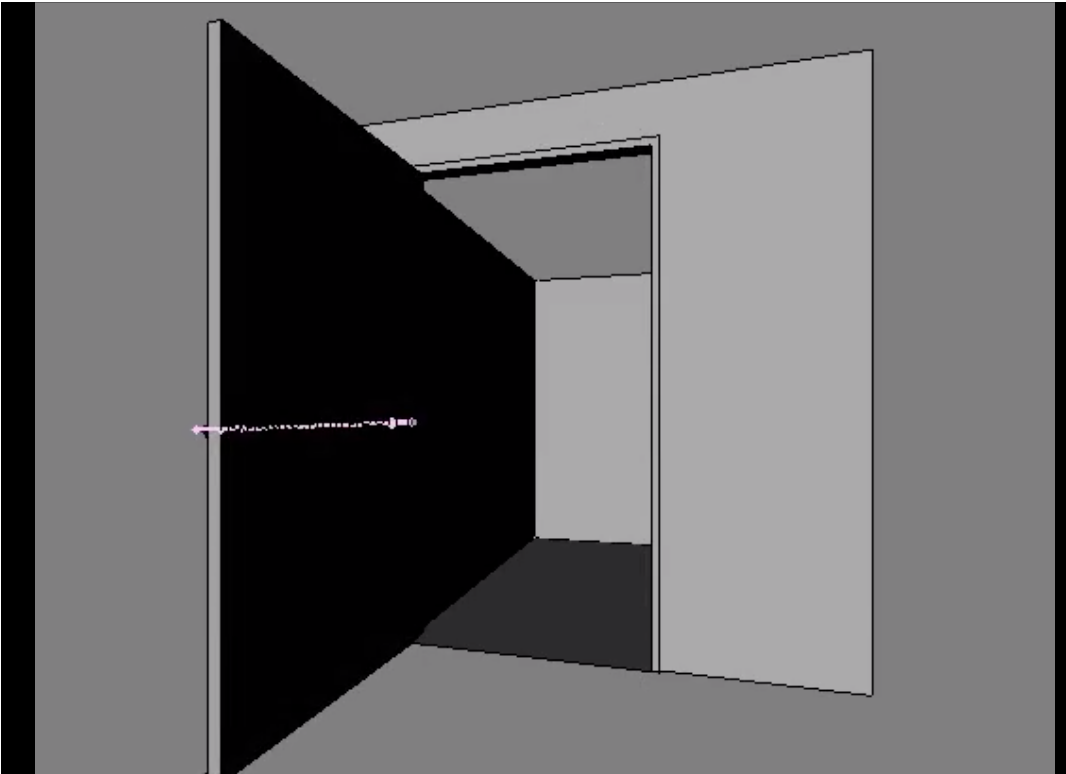
A work-in-progress render of the scene and 50 frame animated geometry for an augment of door/entry area to Dr Softain’s laboratory.
Thematically, this scene takes place around the same time as Dr Softain’s emergency broadcast.
The modelling is based on measurements and reference photos taken at the scene. The animated door opening was achieved by creating a simple bone system, skinning the mesh and then animated the bones. I did this because I thought animated rigid geometry wasn’t supported by Aurasma Studio. I was wrong. Animated rigid geometry is supported by Aurasma Studio. I may continue to use bones to animate the opening of the door and other geometry that makes up the scene.
If all goes to plan, the final .dae export and augment with Aurasma Studio of the alternate animated door/entry area should replace the real door/entry area entirely.
Work to be completed
The completed scene will be made up of a partially visible collapsed Dr Softain, handing lights and elements such as strange equipment and tools you may expect to find in a laboratory. I’m also considering replacing animated versions of the fridge and bin seen in the reference photos. Each element will need to be low-poly and combined with other geometry into a single mesh to meet the 3D guidelines for Aurasma Studio. Further visual effects such as dirt, spilt chemicals, blood etc will be painted onto 512 x 512 material that is then applied to the mesh. The animation looks a bit stiff, so I’ll give that a bit of tweak too!
Thinking out loud
Sketching out the door/entry scene and thinking about the limitations of designing and developing augments. There’s something about them that makes them merely passive observational pieces. They seem read-only. Web 1.0. Augments and the fictional layer should be read/write by those who interact with the space. That’s more web 2.0 – beyond. I guess that’s the challenge. Integrate them into/with something else where action is required and/or make the diorama read/write.


I’ve got some UV work to do!


A better way of handling the UV mapping would be to mark a seam before unwrapping.
1) Edit mode > Mesh > Edges > Mark Seam
2) Select all vertices > U > Unwrap