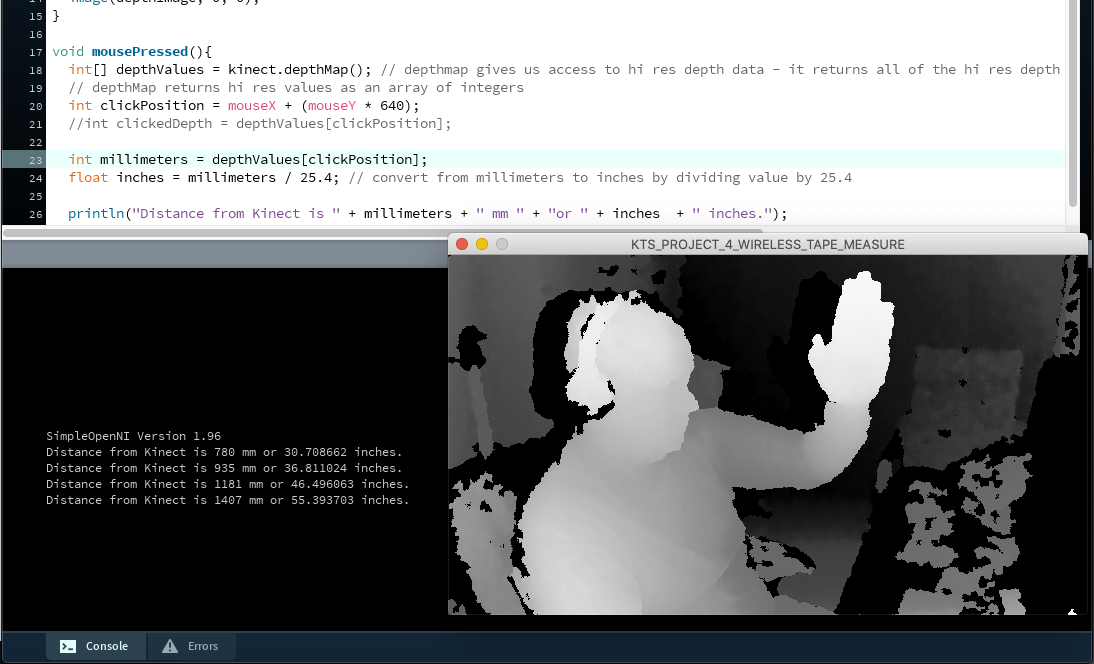
Getting back into Processing, for fun and a creative outlet. To learn, I’m making my way through online tutorials and also trying out my own thing – my goal is to make interactives that respond to input from keyboard, mouse, touch device, or even a Kinect.
Now, making my way through projects in the “Making Things See” book, because the SimpleOpenNI library for Processing 3.5.3 is the foundation for all its sketches. And, it’s the only Kinect-based library I’ve been able to successfully install without error and start making stuff.
import SimpleOpenNI.*;
SimpleOpenNI kinect;

void setup(){
  size(640, 360);
  kinect = new SimpleOpenNI(this);
  kinect.enableDepth();
}

void draw(){
  kinect.update();

  PImage depthImage = kinect.depthImage();
  image(depthImage, 0, 0);
}

void mousePressed(){
  int[] depthValues = kinect.depthMap(); // depthmap gives us access to hi res depth data - it returns all of the hi res depth values unmodified, neitehr converted or processed.
  // depthMap returns hi res values as an array of integers
  int clickPosition = mouseX + (mouseY * 640);
  //int clickedDepth = depthValues[clickPosition];

  int millimeters = depthValues[clickPosition];
  float inches = millimeters / 25.4; // convert from millimeters to inches by dividing value by 25.4

  println("Distance from Kinect is " + millimeters + " mm " + "or " + inches  + " inches.");
}
